| Welcome, Guest |
You have to register before you can post on our site.
|
| Latest Threads |
Let's get this thread to ...
Forum: Village Games
Last Post: dotime
3 minutes ago
» Replies: 30,882
» Views: 11,748,495
|
METAL MEGATHREAD
Forum: Multimedia Masterpieces
Last Post: JEEJAYEM
3 minutes ago
» Replies: 58
» Views: 44,510
|
Last post wins!
Forum: Village Games
Last Post: LCPD
Yesterday, 9:31 PM
» Replies: 2,600
» Views: 2,392,637
|
Challenge 8: Day at the R...
Forum: Survivor
Last Post: Sushie
Yesterday, 7:49 PM
» Replies: 32
» Views: 869
|
Survivor: Jiggmin’s Reviv...
Forum: Survivor
Last Post: TRUC
Yesterday, 3:37 AM
» Replies: 1,250
» Views: 88,519
|
Word of the Post
Forum: Village Games
Last Post: Sunlight1232
3rd June 2026, 8:23 AM
» Replies: 29
» Views: 12,059
|
Challenge 7: Doors
Forum: Survivor
Last Post: Sushie
30th May 2026, 8:40 AM
» Replies: 6
» Views: 573
|
Lets get everyone to 100m...
Forum: Folding at Home
Last Post: Addy
30th May 2026, 2:11 AM
» Replies: 5
» Views: 764
|
I married my pr2 boyfrien...
Forum: Blogs
Last Post: Magyar
29th May 2026, 3:39 AM
» Replies: 22
» Views: 1,202
|
Would you rather...
Forum: Village Games
Last Post: Sunlight1232
29th May 2026, 2:56 AM
» Replies: 50
» Views: 56,504
|
|
|
| PR2 Staff History |
|
Posted by: bls1999 - 26th November 2017, 1:29 AM - Forum: Platform Racing 2
- Replies (89)
|
 |
This thread is a list of all of the past and current staff of Platform Racing 2. Click any underlined username on this page to see their profile.
Group Definitions:
Admin - Short for "administrator." Users in this group can promote members to moderators, discipline rule-breaking by warning or banning, unpublish levels, and change certain account information.
Moderator - Referred to mostly as "mod" or "perma mod." Users in this group can discipline rule-breaking by warning or banning, and unpublish levels.
* Note: this list does not include Trial Moderators. For more information on trial mods, you can visit @Dangevin's PR2 Trial Mod History thread.
Current PR2 Staff Team
Admins: 4
Moderators: 1
What do they look like in Platform Racing 2?
![[Image: 4yY39Ny.png]](https://i.imgur.com/4yY39Ny.png)
The picture is pending an update, as 1python64/pything are no longer staff accounts.
In total, there are 4 admins and no moderators (making 4 total staff members). However, bls1999/Ben, Dangevin/DaBombs, and Eternal/Zach are all the same people. This brings the total number of staff accounts to 7.
List of Staff Members in Order of Promotion
(Everyone who was/is a staff member is included in this list.)
Color Key:- █ = Member
- █ = Moderator
- █ = Admin
Jiggmin
Flare - Demodded
skillz - Demodded
infernoking - Demodded
XPA! - Demodded
Jestes - Demodded
Leader - Demodded (From Admin)
Itaku - Demodded
ellie12 - Demodded
Jonathan - Demodded
Melanie - Retired (From Admin)
b@by*G - Retired (From Admin)
E46M3 - Retired (From Admin)
(knight) - Retired
21xAaronx12 - Demodded
iAeg - Demodded
Flame - Demodded
JPMK - Retired
LCPD - Retired
1python64 - Retired (From Admin)
Aimyus Ghost - Demodded
Red Jackdaw - Retired (From Admin)
~APM-01~ - Retired
Zshadow~ - Retired (From Admin)
Legisperitus - Retired (From Admin)
VforVendetta - Retired (From Admin)
1amayzingman - Demodded
Gevock - Demodded
PrinceCharming - Retired (From Admin)
bobheadtomato - Retired
Sileo - Demodded
Travissimo - Retired
Dutany - Demodded
Gamorade - Retired
usb hub - Demodded
Arceptor - Retired
Tri Oxide - Demodded
aaaaaa123456789 - Demodded
Tiger - Demodded
yak404 - Demodded
inuyasharox - Demodded
Breve - Retired
Hipponator - Retired (From Admin)
Captain of the Inks - Demodded
Dangevin
cod4fan - Retired
Arcana - Demodded
Gram - Demodded
Tintin 101 - Retired
bls1999
Dev52 - Retired
Eternal
TRUC - Demodded
PrinceAce - Demodded
Kieran - Retired
Stxtics - Demodded
a7x3 - Retired
Yanko - Retired
Karlene - Retired
~JBG~
External Links and Thread Updaters
External Links:
Thread Updaters:
|

|
|
| JV Header |
|
Posted by: bls1999 - 25th November 2017, 5:19 AM - Forum: Announcements
- Replies (1)
|
|
Through a painstakingly tedious process, I was able to get JV's old header for this site. Hooray!
In other news, it seems that the folding at home banner is broken for the time being. I can't do anything about that since it's F@H's server that needs to be fixed and not mine. Oh well. ¯\_(ツ)_/¯
|
|
|
|
| This section |
|
Posted by: bls1999 - 25th November 2017, 3:10 AM - Forum: Bugs and Suggestions
- No Replies
|
|
Welcome to this section! Here, you can report bugs and suggest site features. Please include one of the specified thread prefixes in your OP to ensure it's handled correctly.
Of course, please report any security issues you find. If you find a serious vulnerability, report it via Contact a Mod.
|
|
|
|
| Standards for Contests with Prizes |
|
Posted by: bls1999 - 16th November 2017, 3:11 AM - Forum: Platform Racing 2
- Replies (20)
|
|
Contests are fun ways for members of the community to promote fun, the growth of this site, and PR2! Of course, we only want to approve contests that we deem to be functional and fair. With that in mind, the staff would like to provide you with an insight into the standards we hold for contests run by members.
Please note that it's not necessary for you to have exactly what is listed here to have to be approved, these are just some general guidelines. For instance, if you come to us with a different setup that doesn't require some of these things but is still functional and fair, it can still gain our approval. All of the guidelines (not rules) are subject to change, so please don't expect it to be strictly limited to what is posted here when trying to create your contest.
Another thing to keep in mind is that users are not allowed to offer up prizes that they themselves have earned through other contests as rewards for their own contests. All prizes must be approved by the staff team (apart from prizes that don't require staff intervention, such as folding prizes).
Guidelines
The duration of which the contest has been running: 2-3 weeks.
A contest should have to be running for this set amount of time before we will consider it for approval. The reason for this is that we want to make sure that the competition is being run smoothly and fairly, as well as making sure it's fun and beneficial to the community in some form. Again, this is easily subject to change depending on whatever factors happen to come into play, but a bit of your own discretion and common sense is required for when you believe it's suitable for approval.
Amount of judges (and how they're selected):
We want to have an appropriate amount of judges (excluding the host) for a contest. We will also be assessing how the judges are chosen. We don't want it as a "volunteer and get the job without question" type of thing.
Popularity:
This one is somewhat unmeasurable, but it's not difficult to notice if a majority of people aren't happy with how the contest is being run, or if the contest isn't receiving many participants for whatever reason.
Contest Layout:
We would like a very clear thread about how the contest is run, what it's about, how it goes, etc. We won't be approving poorly written stuff (and this is only to the extent where it's painfully unreadable). Of course proper grammar and spelling isn't too much of a fuss as long we can still understand what's going on clearly. We don't expect perfect English, just understandable English.
Owner Motivation & Status:
The host of the competition will have to be considered "active" and also be in the rank of Ultimate Member. As well as that, we don't want a host who only made the competition to be able to be granted some power, since that shows a bit of corruption in how the competition will be run and lack of care/devotion to it. Trust me, we can notice these things. There's also a very important message about this which will be added soon towards the bottom of the guide.
No History of Cheating or Foul Play:
We want a completely clean contest that has no history of cheating or any corruption. Having a contest that is able to award prizes is a big responsibility, so we don't want to give approval to a contest with shoddy history.
Owner Conduct:
It is important that the hosts, before and after approval, display mature, respectful and unbiased behavior. It's also important to note that as they will be working very closely with the Mods in regards to their contest, they will have to abide by whatever we ask of them in regards to the contest, that is if they wish to keep their prizes. On this note, hosts are not allowed to give any additional prizes away apart from to winners of their contests without staff approval.
Rules and Tips
- It will take 3 staff members (at least 1 of which being an admin) to approve a contest before it can be accepted as a contest offering official prizes. However, it only takes 1 negative vote from an admin or 2 negative votes from mods to disapprove it.
- We will at some point, have to cut down on how many competitions we can approve at a certain time. Simply because we will have to monitor all of them to make sure they're continuing to be run fairly. With that, we can only have as many contests as is manageable by the mods.
- To start the contest review process, please post a thread in the Ask a Mod section with [PRIZE REQUEST] in the title. We will only be giving our responses there.
- If a contest wants to allow their staff to compete and win, they need to have this approved by the Staff first in addition to their hosting approval.
- The person who runs the contest is a big part of what we use to decide if we want it as an official contest for the game and site. So really, both the contest and the owner are judged, not just the contest. If someone is rude, impolite and a general jerk, and yet has a great contest, we'll still deny it. The owners are representatives of the site, and they are given a large amount of power, so we don't want people who are jerks to really be in that position (since it would make the game and site look bad, along with making the community unhappy).
Disciplinary Actions
We have a 3 strike system for contests. This is in case the host happens to act rude or use their contest as an, "I'm better than you" card. This can also apply to any forms of cheating or bias that comes to our attention, as well as power abuse.
Strikes won't necessarily be warranted for minor offenses, but anything that directly makes the competition, game, or forum look bad. The number of strikes received at any given time will be decided amongst the staff and will not be the same in every case. Some people may receive more or less, depending on the situation.
Please remember that hosts are representatives of the community, and not to mention, 1 banned host is 1 less contest. We want to avoid inactive contests, as well as rude or insubordinate conduct from hosts. This has been discussed with Jiggmin, and he has agreed completely. So please, we ask that you all wear your best attitude when being a role model for our community.
As always, not everything can be covered by a guide. There may be incidents in which it would be appropriate to create a rule after we discover a problem, which may lead to disciplinary action without warning. This is why we ask that if a host is in doubt about taking a certain action, they immediately take their concern to Ask a Mod before doing anything themselves. The staff team is always willing to help and clarify things, so please use us as much as necessary to avoid issues.
I hope this was helpful, and that using this you guys can also work to create awesome contests. Good luck to everyone!
This thread was recovered from a web.archive.org link. It was originally posted by inuyasharox on JV. I have updated the thread and posted it here for prospective new contest owners to reference.
|
|
|
|
| Appropriate Content Reminder |
|
Posted by: Nemo Nation - 15th November 2017, 9:24 PM - Forum: Multimedia Masterpieces
- No Replies
|
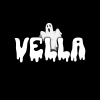 |
Lots of different types of media can include references to things that are inappropriate for JV. These can include (but are not limited to) swear words, violence, and racism.
Before posting, please make sure your content adheres to the village rules.
|
|
|
|
| Prizes! |
|
Posted by: bls1999 - 15th November 2017, 2:05 AM - Forum: Folding at Home
- Replies (19)
|
|
Folding@Home prizes!
![[Image: o4BR14w.png]](https://i.imgur.com/o4BR14w.png)
1 Point - +1 rank token
500 Points - +1 rank token
1,000 Points - +1 rank token
5,000 Points - Crown Hat
100,000 Points - Cowboy Hat
500,000 Points - Epic Crown Hat
1,000,000 Points - +1 rank token
5,000,000 Points - Epic Cowboy Hat
10,000,000 Points - +1 rank token
25,000,000 Points - +1 rank token
50,000,000 Points - +1 rank token
100,000,000 Points - +1 rank token
Points can be checked here.
A specific WU's credit (or points) can be checked here.
Many people confuse points with their WU (Work Unit) progress. When you hover over Folding@Home and see xx/xx this is the progress on your WU, and WUs make points (the ones that get you these nifty prizes).
|
|
|
|
| Simple Install Guide |
|
Posted by: bls1999 - 15th November 2017, 1:51 AM - Forum: Folding at Home
- No Replies
|
|
Want to cure diseases and take over the world at the same time? Double win! Here's how to install Folding@Home.
Point your browser to Folding@Home's start page, and download the version that appears on the page (it should auto-detect your operating system).
Before installing, make sure you have admin permissions on your computer. If you don't, you'll want to get your computer's administrator nearby since Folding@Home requires admin permissions to be installed.
Open the installer you just downloaded and click next.
![[Image: 9varxQe.png]](https://i.imgur.com/9varxQe.png)
I probably agree!
![[Image: 3POdsGz.png]](https://i.imgur.com/3POdsGz.png)
Choose Express Install.
![[Image: 4BHxvuA.png]](https://i.imgur.com/4BHxvuA.png)
Fill in the fields as follows:- Put whatever username you want (typically your PR2 username) in the Donor field.
- Set your team number to 143016. (That's our team!)
- You can get a passkey by pointing your browser to https://apps.foldingathome.org/passkey/create. You don't need to use a passkey, but you can get way more points if you do!
- Leave the Preferred Mode set to SMP. You can also change it to GPU if you know what you're doing.
![[Image: UB2VFXR.png]](https://i.imgur.com/UB2VFXR.png)
When you're finished, click install. The program will do its thing, and after a while, click finish, yo. Congratulations! Folding@Home is now installed and running on your computer.
![[Image: 1BUuzKt.png]](https://i.imgur.com/1BUuzKt.png)
A window like this may appear. It shows you what Folding@Home is working on. You can just x out of this or minimize it. No worries, Folding@Home will keep running in the background.
![[Image: bsOH75b.png]](https://i.imgur.com/bsOH75b.png)
If you ever want to check on a work unit's progress, double-click the Folding@Home icon in your system tray. Note: work units are automatically cashed in for points when they're completed.
![[Image: mFWCaKn.png]](https://i.imgur.com/mFWCaKn.png)
Doubling-clicking the Folding@Home icon will bring up the window again, and then bake you some delicious brownies. For science.
![[Image: gY1MwaM.png]](https://i.imgur.com/gY1MwaM.png)
For a more advanced guide (including how to get more points), see AmbientFiction's Beta Client Install Guide.
For more resources, try the links listed on JV's old Folding@Home Directory.
Happy folding! 
|
|
|
|
| Stxtics' Guide to Folding |
|
Posted by: Stxtics - 13th November 2017, 7:43 AM - Forum: Folding at Home
- Replies (15)
|
 |
When folding you have PPD (Points Per Day) which is roughly how many points you will get if you leave your PC on for 24 hours. Now there are two different ways of folding, there is the client, and there is nacl (on chrome). The client requires you to download a program and the nacl (aka chrome folding) can be done while you have chrome open. On chrome, you can only fold with CPU which is what I recommend for users who have a low-end computer. The client, however, allows you to fold with both CPU and GPU. The reason why I suggest folding with chrome for low-end PC users is that not all graphics cards can fold so you might as well use Chrome if you can't fold with your GPU. Chrome WUs (Work Units) give 42 points for each completed WU. The time it takes for a WU to complete is based on your CPU. On the client, however, time is not affected much by the CPU/GPU and it is more the points you will receive on the WU that are affected.
This Google spreadsheet contains most, if not all GPUs that are eligible to fold. F@H GPUs Stats
Note: Does not contain newer GPUs but they can fold so don't worry.
If your GPU is not on here/you don't know what GPU you have, I highly recommend using the chrome folding (nacl). That can be found here
All you need to do now is enter a username of the Platform Racing 2 account that you want to fold points for. Enter the Team Jiggmin team number which is 143016 and get a passkey if you wish. However a passkey does not affect your points on chrome.
Note: If your PR2 name contains a space then replace it with an underscore. Also, certain symbols are not allowed, e.g. @.
Now if your GPU is on that Google spreadsheet then I recommend downloading the client. You can download it from here.
Once you have downloaded it an ran through the setup (choose express download not custom if your stuck at that part) it should open a tab in your browser. Once that tab opens you can click Change identity and put in the user of the account you want to fold, the Team Jiggmin team number (143016) and get a passkey which requires an email address (but just to send the passkey to). Then once you get the passkey, enter it and you're pretty much done. What the passkey does is it gives you bonus points, but you have to have completed 10 WUs to get the bonus points. For the client, you don't have to keep your browser open and there is another way to view your folding. At the bottom right of your screen by the time you should see a ^ icon. Click that then inside there you should see some apps and one of the logos should be the F@H logo. Right-click the F@H logo and go to advanced control. There you can see info and make sure your folding for the right username and team. Also what I prefer to do personally is right click the CPU folding and pause it so that I am only folding with my GPU (My GPU gets 300,000 PPD).
Anyway, thanks for reading and feel free to ask any questions or message me on Discord: Stxtics#0001 for any further help and I will do my best to help you.
|
|
|
|
|



![[Image: pB7rDaa.png]](https://i.imgur.com/pB7rDaa.png)
![[Image: MqAAm1g.png]](https://i.imgur.com/MqAAm1g.png)

